 Pulse Totals
Every coin. Every wallet.
One total.
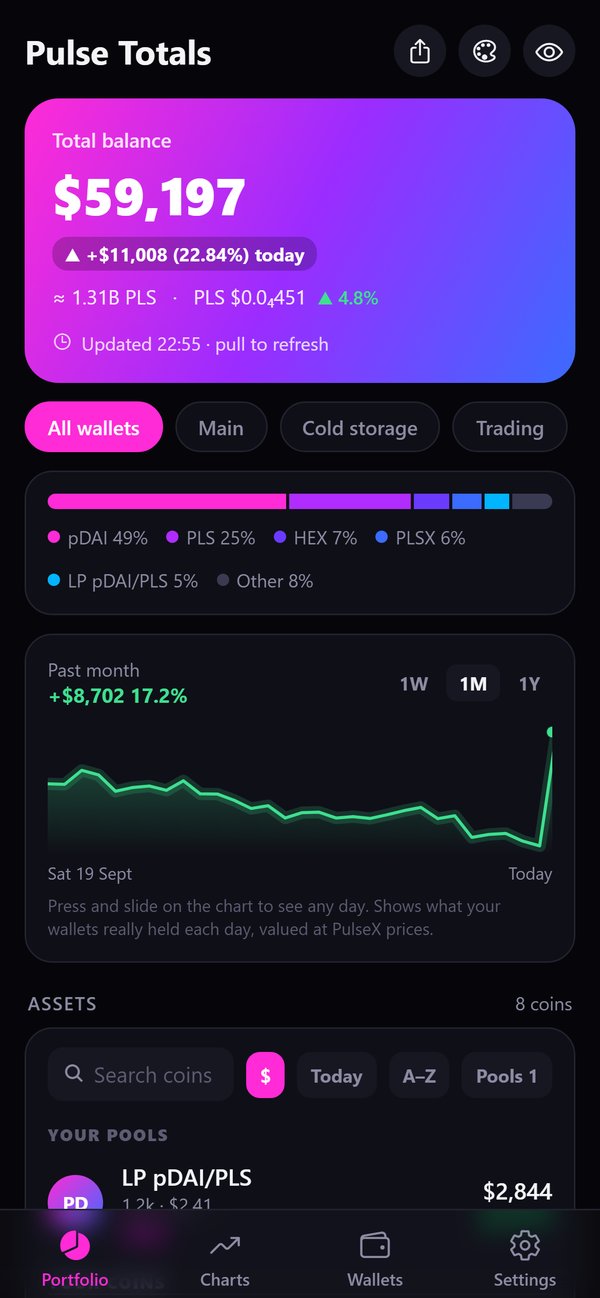
Pulse Totals for iPhone shows what all your PulseChain wallets are worth, in one place: live PulseX prices, charts for the core PulseChain coins, your HEX stakes and your PulseX pools, even the ones you forgot about. Read-only: no keys, no wallet connection, no account.
Features
Everything you hold, counted properly
Pulse Totals reads your wallets straight from PulseChain and prices every coin from the PulseX pools. Coins without a real market are left out, so your total stays honest.
All your wallets
Paste an address, type it or scan a QR code, and give each wallet a name. See them together or one at a time.
Live PulseX prices
Every coin is priced from its PulseX pool, with its 24-hour change and a link to its chart on DexScreener.
Find forgotten pools
Your PulseX pool positions show up on their own, split into the two coins inside each pool. You may find a liquidity pool you had completely forgotten about. HEX in stakes is counted too, at the amount you put in.
No fake values
Scam coins and coins without a real market are kept out of your total. Copies of Ethereum coins made at the PulseChain launch are clearly marked as fork copies.
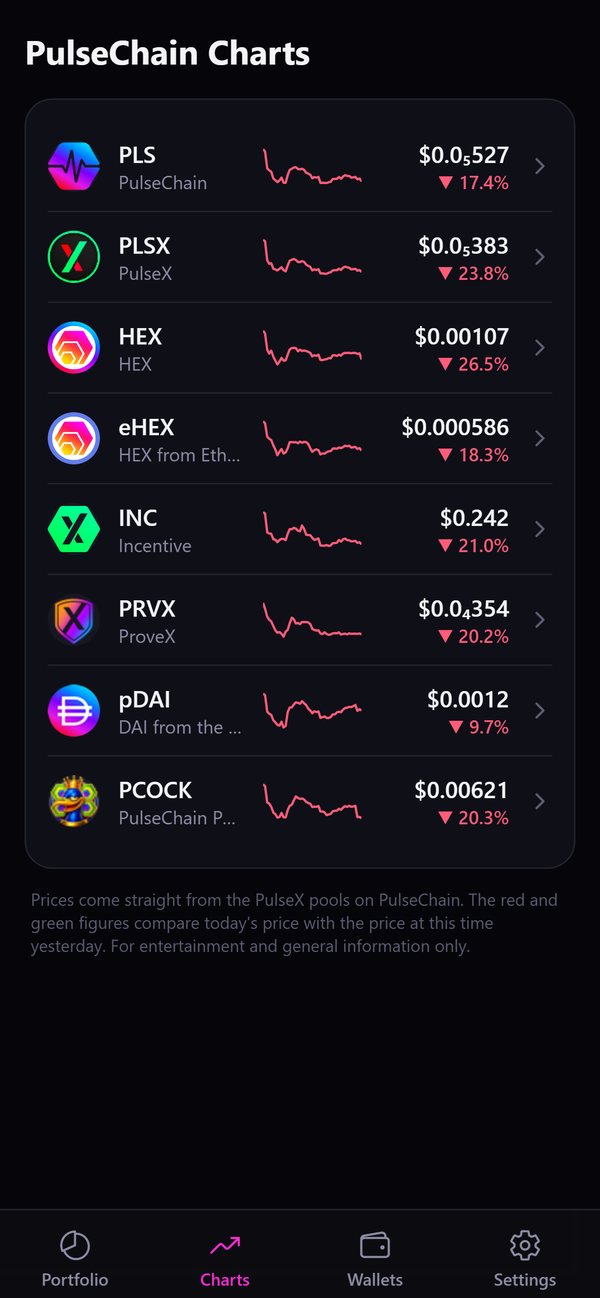
PulseChain Charts
Price, 24-hour change and a chart for PLS, PLSX, HEX and the other core PulseChain coins.
Face ID and hiding
Lock the app with Face ID and hide your balances with one tap. With the lock on, your balances are hidden in the app switcher too.
PulseChain Charts
The core PulseChain coins at a glance
A separate Charts tab shows PLS, PLSX, HEX, eHEX, INC, PRVX, pDAI and PCOCK with their price and 24-hour change. Tap a coin for its chart.
- A tiny 24-hour chart next to every coin in the list
- Charts for 24 hours, 7 days, 30 days, 6 months and 1 year
- Touch and hold a chart, then drag to read the price at any point
- All-time low and high since PulseChain launched, and how far the price is from each
- The core coins are free for everyone. Adding more coins to your Charts is a Pro feature.
Coin details
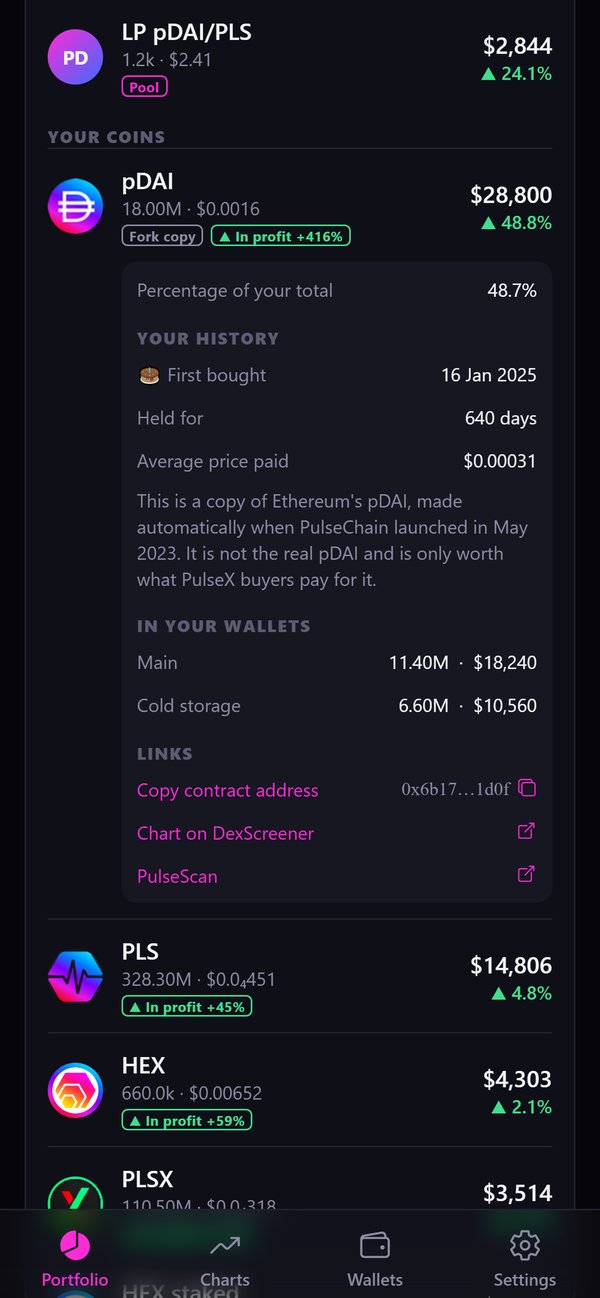
Know when each coin arrived
Tap any coin in your list to see where it is held and how long you've had it.
- With Pro: when you first bought it, when you last added some, and how long you've held it on average
- With Pro: the average price you paid, and a tag in your list that shows "In profit +45%" or "At a loss −12%"
- How much of the coin is in each wallet
- Its share of your total and a link to its chart
Five vibes
The same numbers, your way
Pick the look you like: Pulse Gradient, Heartbeat, Orbit, Stack or Bubbles. Pulse Gradient is free. Heartbeat, Orbit, Stack and Bubbles are part of Pro.
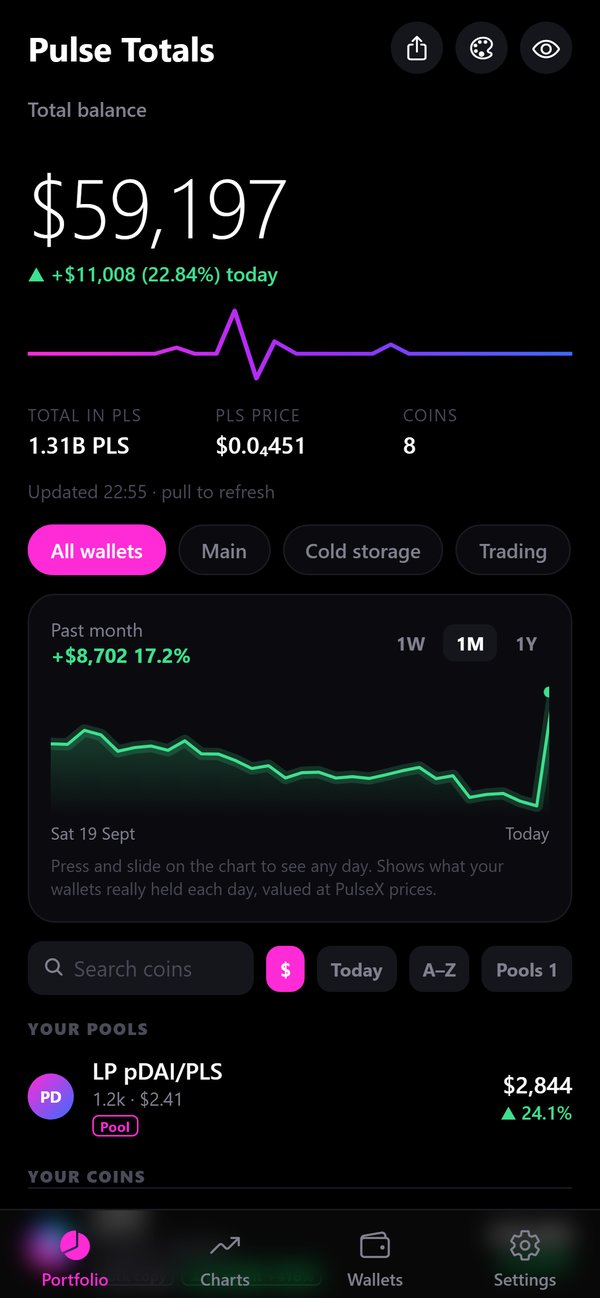
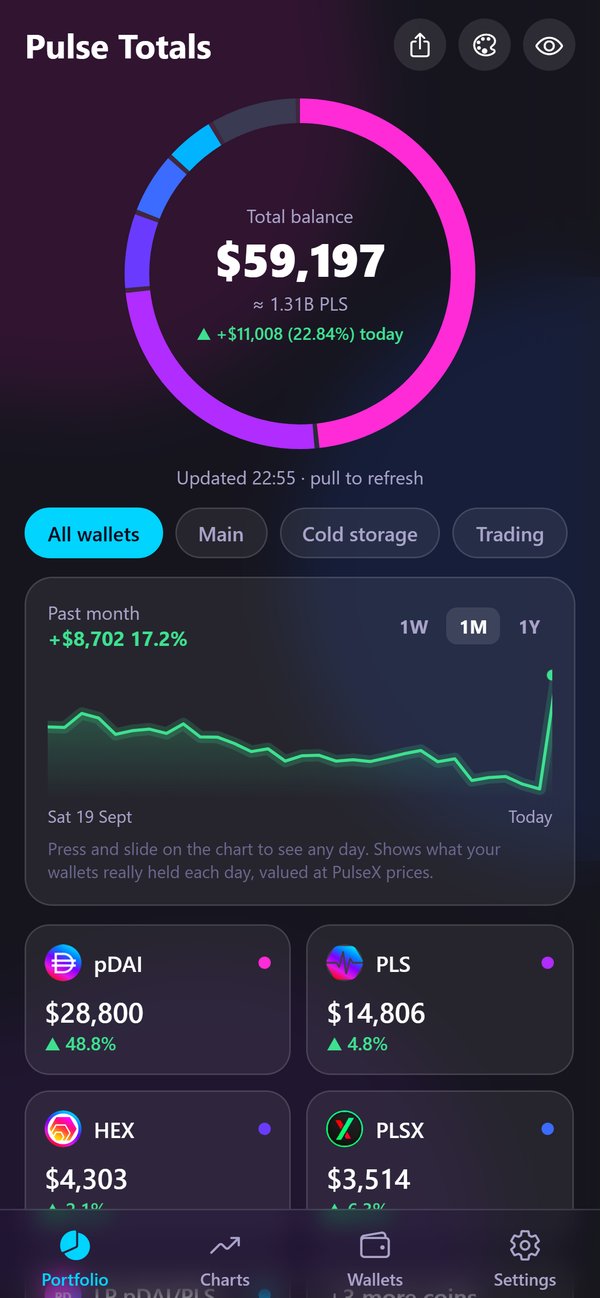
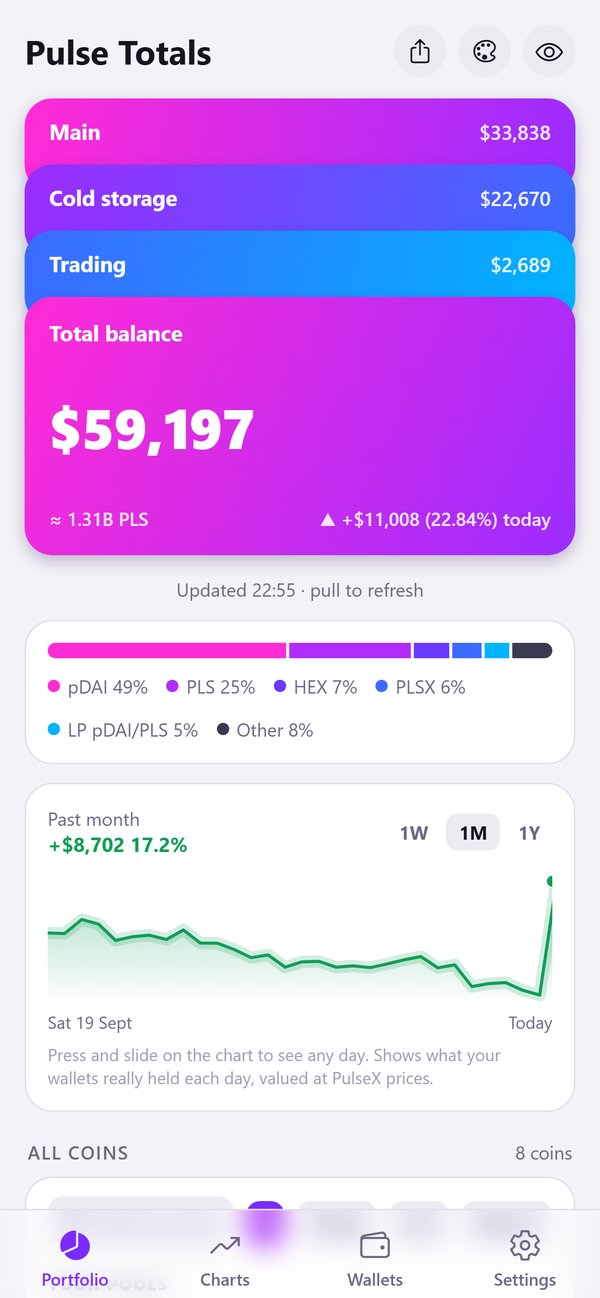
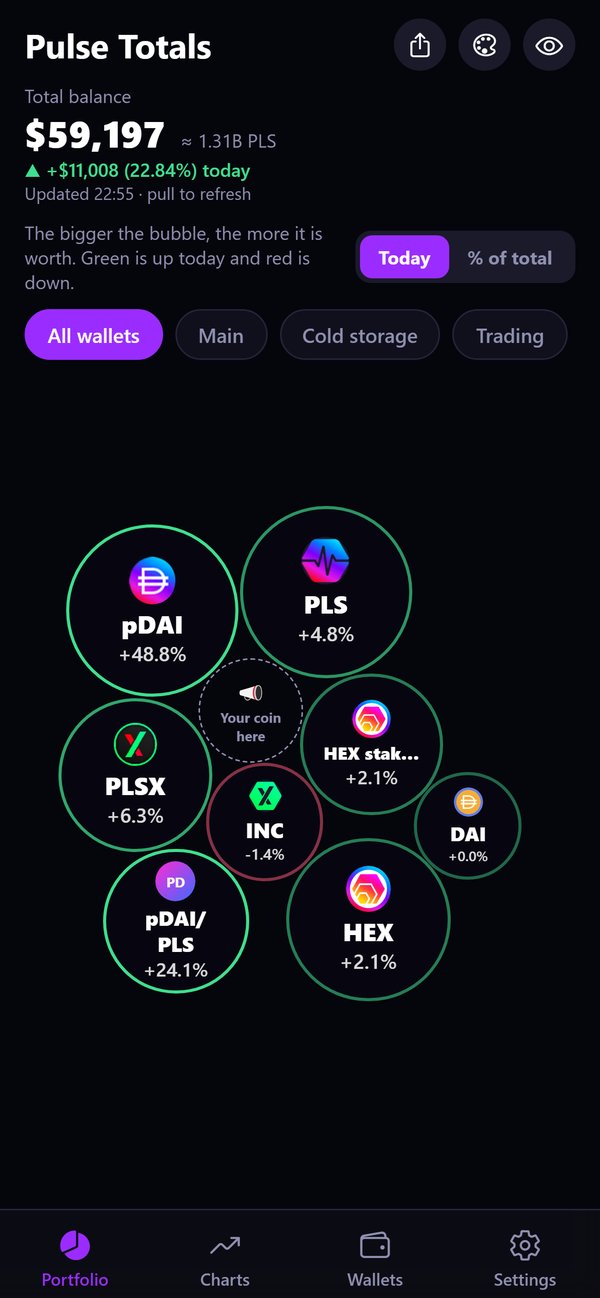
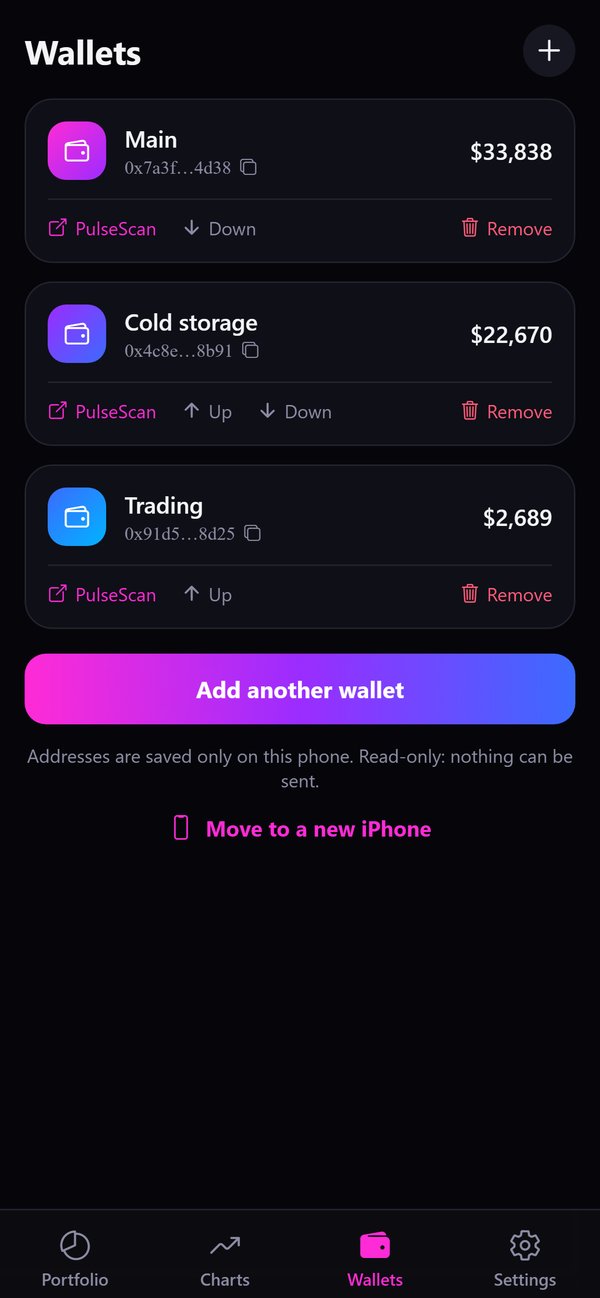
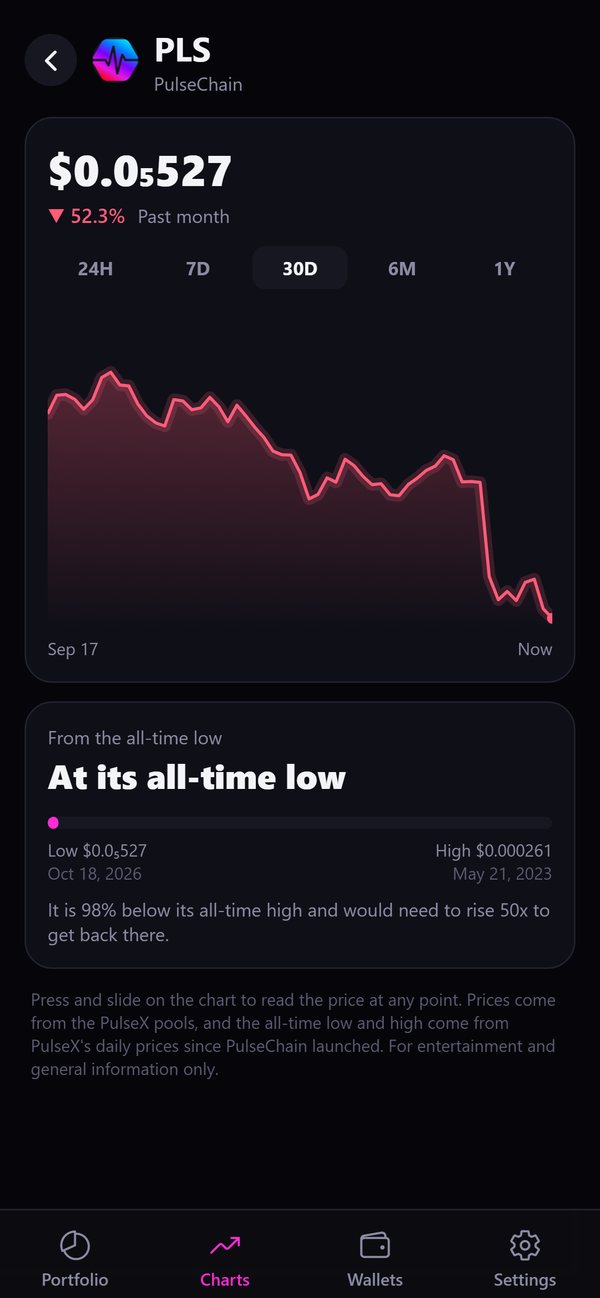
The screenshots use made-up example wallets. Coin charts show real PulseX prices.
Free and Pro
Start free. Unlock everything once.
Pro is a single in-app purchase through the App Store. There's no subscription and no account.
Free
Everything you need for one wallet
- One wallet with its full total
- Live PulseX prices and 24-hour change
- Pools and HEX stakes
- Stake reminders (version 1.1)
- PulseChain Charts
- Face ID lock and hidden balances
Pulse Totals Pro
The price is shown in the App Store in your currency
- Unlimited wallets in one total
- Value over time: your real total day by day, from one week to one year, for all wallets together or one at a time
- Coin history: when you first bought each coin, how long you've held it and what you paid on average
- "In profit" and "At a loss" tags with the percentage
- Every vibe: Heartbeat, Orbit, Stack and Bubbles
- Coin alerts for your favourite coins (version 1.1)
- Your wallets and totals on your computer, with the web version (version 1.1)
- More coins: add any PulseChain coin to your Charts, and count coins with a tiny pool
- Share pictures of your total, with or without amounts
Safety first
It can look, but it can never touch
Pulse Totals is a viewer. It has no way to move your coins.
The app only reads public blockchain data. It can't send, swap or sign anything.
Pulse Totals never asks for your private key or recovery phrase. If any app or person asks for them, it's a scam.
There's no account, no tracking, no analytics and no advertising network. If you link a computer, our server keeps an encrypted copy of your wallet list that only your iPhone and your browser can read. If you turn on coin alerts, it keeps your notification token, the coins you follow, your alert rules, your language and your time zone, but never your wallet addresses or balances. How we protect your data
If a scam coin puts a website address in its name, the app shows "(link removed)" instead.
Free tool
When does your HEX stake end?
Enter the start date and length of a HEX stake and see the end date, the 14 days after it in which you can end it without a penalty, and what ending late or early costs. Everything is calculated in your browser, and nothing is sent anywhere.
Open the stake end calculator Deutsch
Pulse Totals for iPhone also lists the end date of every stake in your wallets and reminds you a week before a stake ends, on the day it ends, and two days before the penalty-free window closes. Reminders are created on your iPhone and go nowhere else. (version 1.1)
How it works
Where the numbers come from
Balances come from the public PulseChain explorer (scan.pulsechain.com) and the public PulseChain node (rpc.pulsechain.com). Prices and price history come from PulseX: its pools and its public data service, graph.pulsechain.com. Coin names and logos come from public token lists (PulseX and Piteas on GitHub), the 24-hour change comes from DexScreener, and the euro rate comes from the European Central Bank via frankfurter.app.
The explorer and the node see the wallet addresses you look up. The other services only see which coins are asked about. Pulse Totals doesn't send your wallet addresses to our server, unless you link a computer: then the server keeps only an encrypted copy that it can't read. All values are estimates. Pulse Totals is for entertainment and general information only, and it is not financial or investment advice.
Help
Questions and answers
Is Pulse Totals safe?
Yes. It only reads public information from PulseChain. It can't send, swap or sign anything, and it never asks for your private key or recovery phrase. If any app or person asks for your recovery phrase, it's a scam.
Does Pulse Totals ever contact me first?
Only through the coin alerts and stake reminders you turned on. We never message, call or email you out of the blue, and Pulse Totals has no support on Telegram, Discord or X. Anyone claiming to be us there is a scammer. The only replies you'll ever get are to emails you send to [email protected].
Is this financial advice?
No. Pulse Totals is for entertainment and general information only. It shows estimated values from public information and never tells you what to buy, sell or hold. Always check the real amounts and make your own decisions. The terms of use are on thatlazynerd.com (link at the bottom of this page).
Where are my wallets saved?
Your wallet addresses and names are saved on your iPhone. Pulse Totals has no account system. If you link a computer, our server stores an encrypted copy of your wallet list, and only your iPhone and the linked browser can read it. If you delete the app, the wallets on your iPhone are gone. Getting a new iPhone? Tap "Move to a new iPhone" on the Wallets tab. It shows your list as a QR code for the new iPhone to scan.
How do I add a wallet?
Go to the Wallets tab and tap "Add your first wallet" or "Add another wallet." You can paste an address, scan a QR code or type it in. Only the public address starting with 0x is needed.
What do I get with Pro?
Pro adds as many wallets as you like to one total, the value-over-time chart, coin birthdays with the average price paid, every vibe, more coins for your Charts, share pictures, coin alerts (version 1.1) and the web version on your computer (version 1.1). It's a one-time purchase through the App Store. If you get a new iPhone, tap "Restore purchase" in the Settings tab.
Why is a coin missing or not counted?
Coins that aren't available on PulseChain have no reliable price, so they aren't counted in your total. This keeps scam and dust coins from inflating your total. Turn off "Hide coins under $1" in Settings to see small coins.
Where do the prices come from?
Prices come live from the PulseX pools on PulseChain. The 24-hour change comes from DexScreener, and the euro rate comes from the European Central Bank. All values are estimates.
What does "Fork copy" mean?
When PulseChain launched in May 2023, it made a copy of every Ethereum coin. A fork copy is the PulseChain version of an Ethereum coin. It's usually worth much less than the original.
What are "Pool" and "Staked"?
"Pool" means the coins you have in a PulseX liquidity pool, split into the two coins inside it. "Staked" means HEX locked in a HEX stake. The stake is counted with the HEX you put in.
Why is my total different from another app?
Apps use different prices and count pools, stakes and fork copies differently. Pulse Totals counts only coins that are available on PulseChain, so its total is often lower but more realistic.
How does the Face ID lock work?
Turn it on in Settings. The app asks for Face ID when you return after the time you chose under "Ask again after." While the lock is on, the iPhone app switcher hides your balances.
How do I hide my balances?
Tap the eye at the top of the Portfolio screen, or turn on "Hide balances" in Settings. When you share a picture, choose "Show % only" to share your coin mix without amounts.
How do I report a problem?
In the app, open the Settings tab and tap "Report a problem or suggest an idea". You can add screenshots, and your Mail app shows the email before it's sent. You can also email us directly at [email protected].
Contact
Found a problem or have an idea?
Email us at [email protected]. We read every message.
Please never send us your private key or recovery phrase. We'll never ask for them.
Want your PulseChain coin featured in the app? Featured coins are paid advertising slots near the top of the coin list, clearly marked as sponsored. They are not recommendations. See Feature your coin.
Terms of use
Terms and conditions
Which terms apply
The app is sold and licensed through the App Store, so Apple's standard Licensed Application End User License Agreement applies to it. Purchases on our websites are covered by our general terms and conditions (AGB) below, provided by IT-Recht Kanzlei. Pulse Totals is made by thatlazynerd (see the imprint). Questions? [email protected].
Welche Bedingungen gelten
Die App wird über den App Store verkauft und lizenziert, deshalb gilt für sie die Standard-Lizenzvereinbarung für lizenzierte Apps (Licensed Application End User License Agreement) von Apple. Käufe auf unseren Websites unterliegen unseren Allgemeinen Geschäftsbedingungen (AGB) weiter unten, bereitgestellt von der IT-Recht Kanzlei. Pulse Totals wird von thatlazynerd entwickelt (siehe Impressum). Fragen? [email protected].
