 Pulse Totals
Feature your coin in Pulse Totals
Pulse Totals shows PulseChain holders everything they own in one total. Right below our featured coin there is room for your coin, in the list every user scrolls through each time they check their wallets.
What you get
A place in the coin list
Near the top
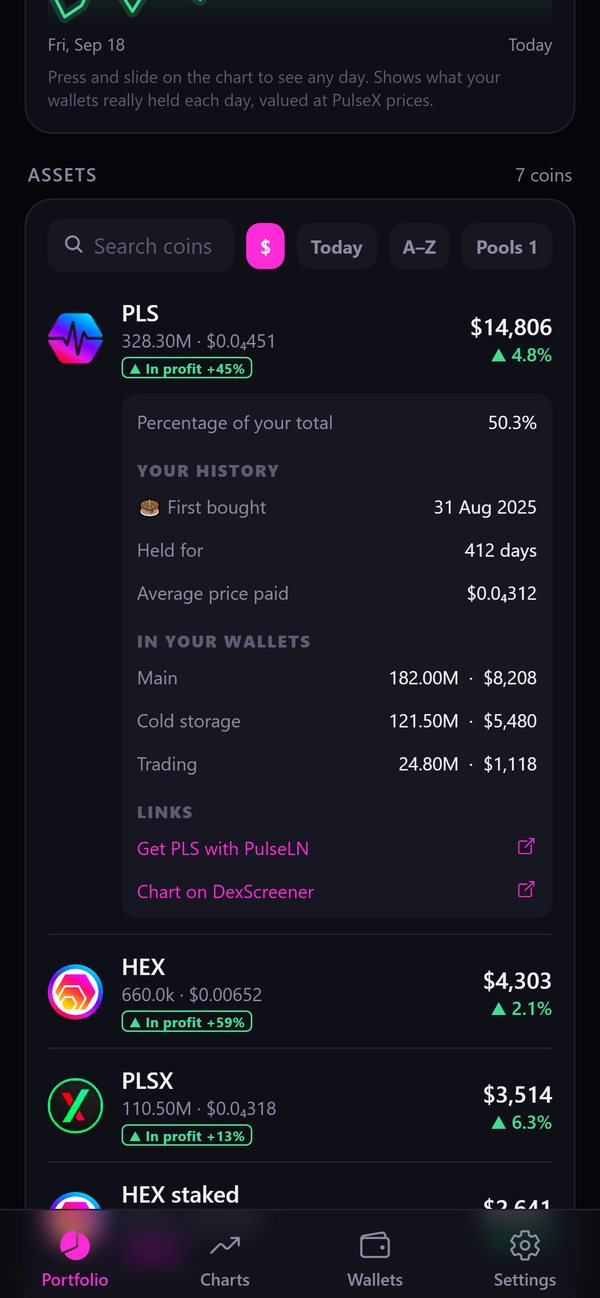
Your coin near the top of every user's coin list, with its name, logo, live PulseX price and today's change.
Your line
A short line about your project and a link to your coin's price chart.
Weekly slots
Only one or two coins at a time, so yours gets noticed.
Where it shows
Seen every time someone checks their wallets
In every coin list
Your coin sits right below our featured coin, near the top of the list, in every vibe that has a coin list: Pulse Gradient, Heartbeat, Orbit and Stack.
In Bubbles
In the Bubbles vibe, your coin gets its own bubble that floats with the user's coins.
In every wallet view
It shows for all wallets together and for each single wallet.
One tap to your chart
Tapping your coin shows its live PulseX price, today's change, your short line and a link to its chart.
How it works
From first email to live in five steps
Send your coin's name, its contract address on PulseChain, the weeks you would like and the short line you want to show (up to 60 characters).
We look at its PulseX pool and its contract: who owns it, whether new coins can be printed, and whether selling can be blocked or hit with extra fees. This usually takes one to two days.
If your coin passes, we reply with the price, the free weeks and how to pay.
Your week is booked once the payment has arrived. We confirm the exact text and logo with you before anything goes live.
A slot week runs from Monday to Sunday. Your coin appears in the app without an app update and disappears again at the end of your booking.
Questions
Good to know
Who sees my coin?
Everyone who opens Pulse Totals during your week. The app has no tracking, so we cannot tell you how many people saw or tapped it, and we will never pretend otherwise.
Can users buy my coin in the app?
No. Pulse Totals is read-only and never sells, swaps or recommends any coin. Users see the price and can open the chart in their browser.
Is my coin marked as an advert?
Yes. Every featured coin is clearly marked as sponsored, so users always know it is advertising.
What text is not allowed?
No price predictions, no promises of profit, no "100x", no giveaways or airdrop claims, and no links in the text itself.
Can you remove my coin early?
Yes, if the coin later fails our checks (for example, if selling gets blocked or the liquidity is pulled). We tell you why when that happens.
Before we say yes
We check every coin first
A PulseX pool with enough liquidity to trade.
No honeypot, no unlimited minting, no hidden fees and no blocked selling.
Featured coins are labelled "Sponsored", and your text may not promise any price or return.
We can turn down any coin. Nothing is sold inside the app: users only see the price and a link to the chart.
Prices
Prices on request
Email us your coin's name, its contract address and the weeks you would like. We will reply with the price and the free slots.
Ask about a slotSponsored listings are advertising. They are not investment advice and not a recommendation to buy any coin.
